Try GPT-6 Astra with Palmier Pro
Palmier Pro changelog
GPT 5.6, Localization, Appearance
New
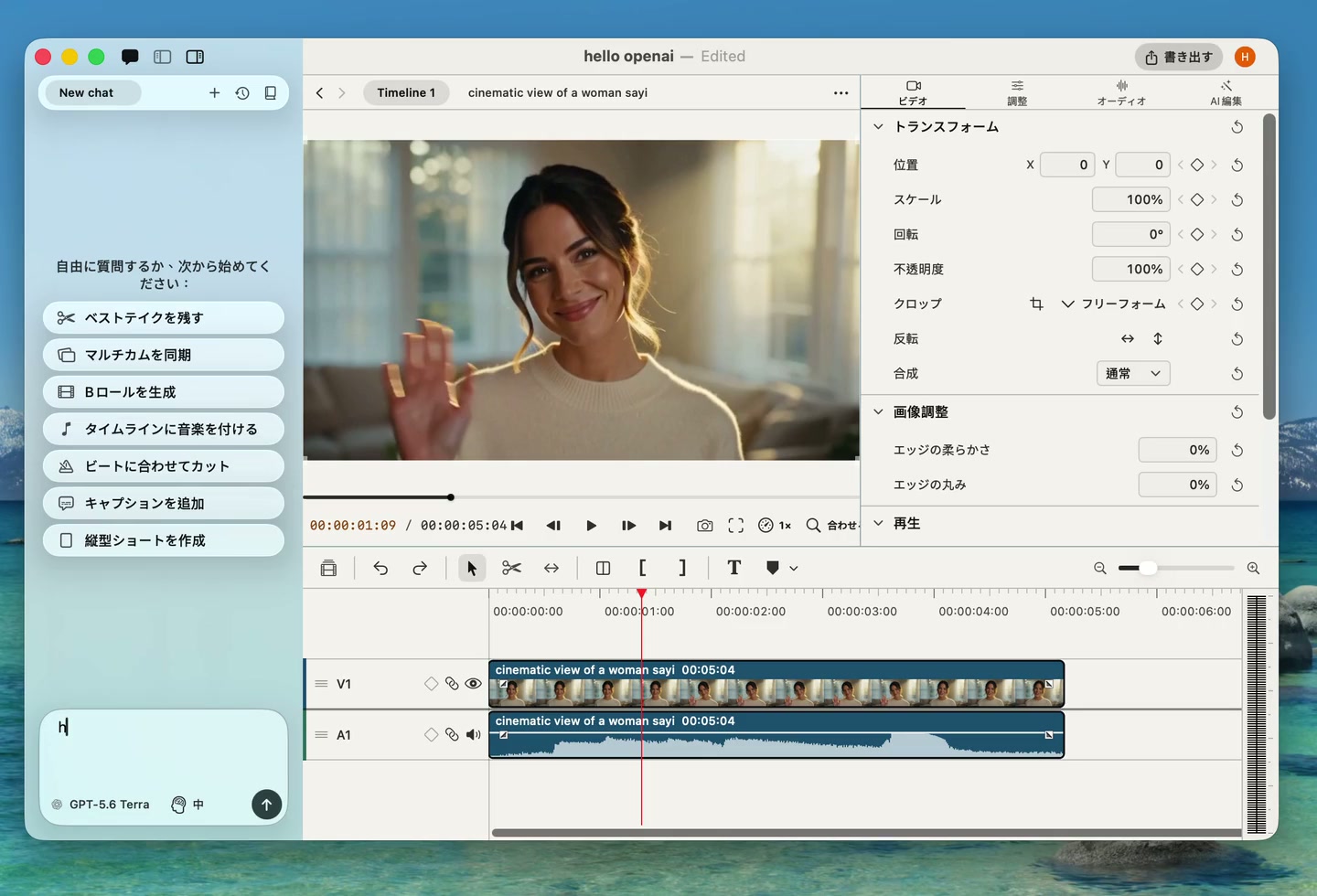
- OpenAI chat. Use GPT-5.6 Sol, Terra, and Luna in side chat, alongside Claude Opus 5 and Fable 5.
- Localization. Use Palmier Pro in 15 additional languages.
- Appearance settings. Choose a light, dark, or system theme, switch workspace layouts, and customize timeline clip colors.
- Agent thinking. Follow Agent's summarized reasoning while it works.
- Clip linking. Agent can link and unlink clips to build J-cuts and L-cuts.
Improvements and fixes
- Fixed a timeline snapshot crash.
- Improved audio scrubbing stability.
Silence controls, reframing, and custom formats
New
- Silence removal controls. Tune pause length and speech padding before removing silence.
- Custom aspect ratios. Set project canvases to custom dimensions and formats.
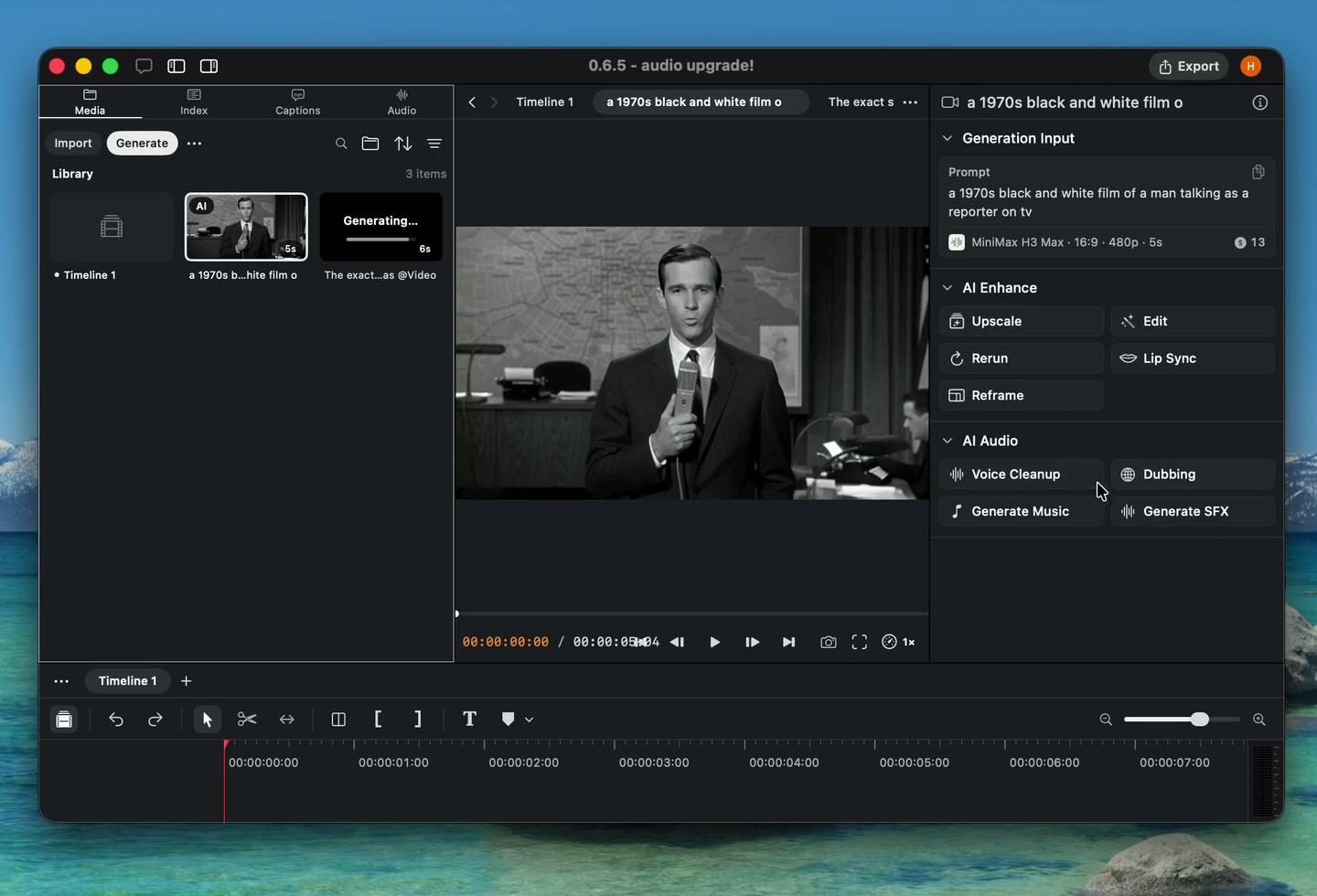
- AI video reframing. Reframe existing video for a new composition with an AI model.
- Promptless lip sync. Create lip sync generations directly from source media.
- Model provider logos. Identify model providers more quickly in generation menus.
Improvements and fixes
- Show refunds and failed generations in project activity.
- Improved bulk clip property changes and project saving.
Audio generation and more layouts
New
- Seed Audio. Generate speech and audio with Seed Audio.
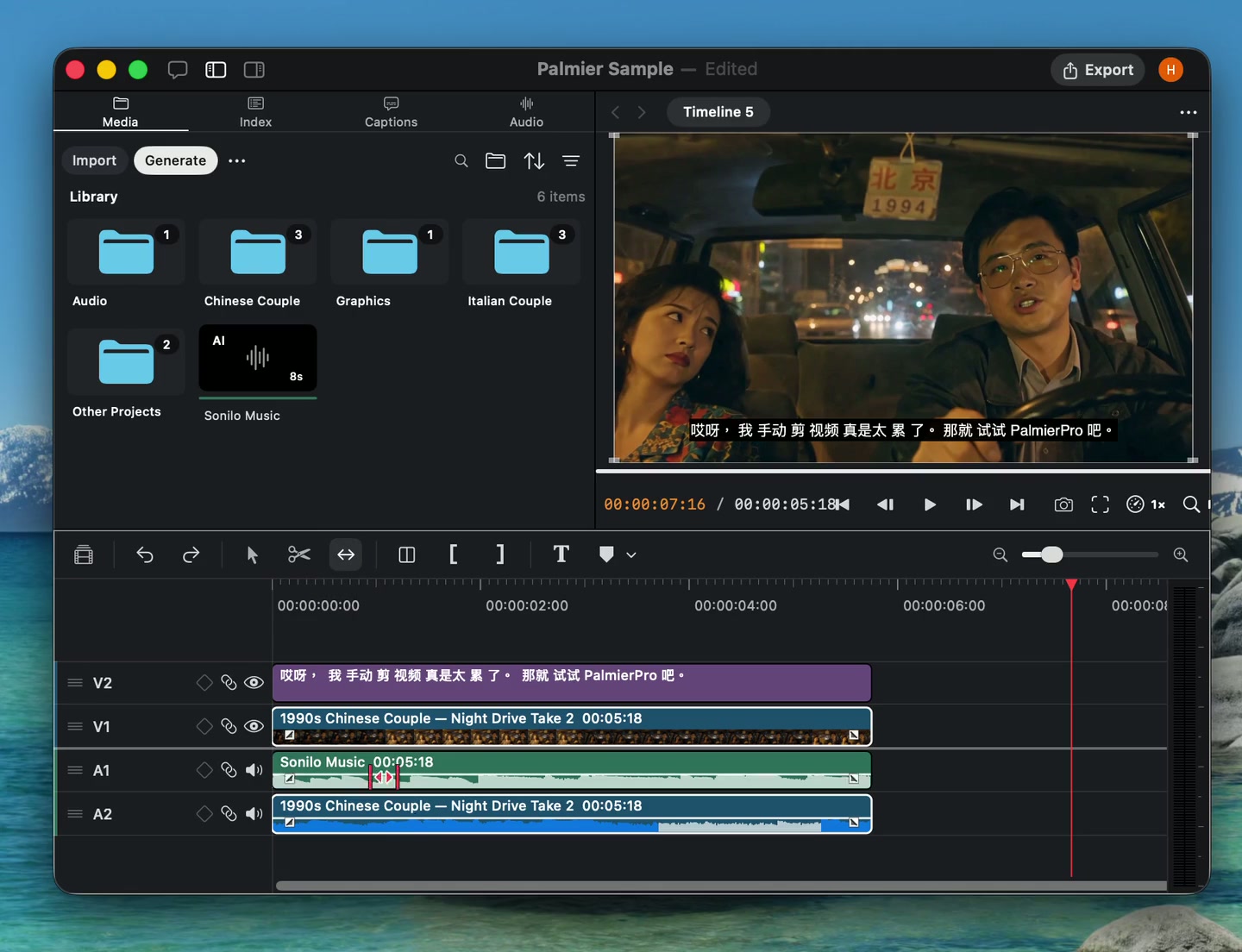
- Sonilo. Generate audio with Sonilo from the generation panel.
- More layouts. Build additional multi-clip compositions from the editor or with Agent.
- Invert colors. Apply an invert effect to visual clips.
- More upscaling options. Choose from additional models and settings when upscaling media.
Improvements and fixes
- Improved media browser selection and actions.
- Fixed multicam ripple trim synchronization.
Text controls and project search
New
- Text rotation and scaling. Rotate text clips and scale their width and height independently.
- Edge controls. Adjust edge roundness and softness on visual clips.
- Playback speed. Change preview playback speed from the viewer.
- Project search. Search projects and remove several projects at once.
- Clip fades for Agent. Agent can now read and adjust clip fades.
Improvements and fixes
- Improved responsiveness for large caption workflows.
- Improved text resizing and typewriter animations.
Slip Edit and timeline gap actions
New
- Slip Edit. Change the source range inside a clip without moving it on the timeline.
- Timeline gap actions. Create an AI transition or ripple-delete a gap from its context menu.
- Better audio synchronization. Align related clips more accurately from their audio.
Improvements and fixes
- Improved source timecode handling for Sony RTMD and BWF media.
- Fixed a beat detection hang.
Drop to timeline and text stencil
New
- Drop to timeline. Drag files from Finder directly onto the timeline.
- Text stencil. Use text as a matte that reveals the footage underneath.
- One-click preview selection. Select the clip under the pointer directly from the viewer.
- Capture frame. Agent can save a timeline frame as a reusable media asset.
Improvements and fixes
- Improved MCP reconnection after restarting Palmier Pro.
- Reduced audio meter rendering work.
Redesigned editor panels
New
- Redesigned editor panels. A cleaner layout gives the canvas, media, timeline, and inspector more room.
- Refreshed settings and help. Updated navigation and styling across supporting windows.
- Text line styles. Style individual lines inside a text clip.
- Cancellable exports. Stop an export from the queue before it finishes.
- CAF audio support. Import Core Audio Format files into a project.
Improvements and fixes
- Improved undo reliability for Agent edits.
- Improved local file imports, media restoration, and audio scrubbing.
Audio workflows and timeline meters
New
- Voice isolation and dubbing. Use ElevenLabs to isolate voices or dub spoken audio.
- Audio scrubbing. Hear audio while moving the playhead across the timeline.
- Timeline audio meters. Monitor output levels while previewing an edit.
- Chroma key eyedropper. Select a key color directly from the canvas.
- Claude Sonnet 5. Hosted Agent chat now uses Claude Sonnet 5.
Improvements and fixes
- Added support for 65-point LUT files.
- Improved export and timeline performance.